This article is written in Canadian English and intended for readers in Canada.
A Windows 7 ISO is an exact digital replica of the Windows 7 installation DVD, stored in ISO (.iso) format. It is essential for installing Windows 7 on a PC or virtual machine and for creating a bootable USB drive.
This guide includes direct links for official Windows 7 ISO files in 64-bit, 32-bit, and All-in-One editions. All sources are verified as safe and legal, ensuring a secure download. Additionally, you'll find instructions for creating a Windows 7 bootable USB.
Need Windows 7 Pro ISO? Access it here: Windows 7 Pro ISO Download | Windows 7 Home ISO Download
Or explore other Windows ISO files in this database:Windows ISO Download.
Windows 7 ISO file download 64-bit (x64)
The 64-bit Windows 7 edition is compatible with modern PCs using 64-bit processors. Below are links to frequently used 64-bit English editions: Windows 7 Home Premium, Windows 7 Pro, and Windows 7 Ultimate.
⬇Download Windows 7 Home Premium 64-bit ISO (3.0 GB)
MD5: DA319B5826162829C436306BEBEA7F0F
SHA-1: 6C9058389C1E2E5122B7C933275F963EDF1C07B9
Source: softcomputers.org
⬇Download Windows 7 Pro 64-bit ISO (3.0 GB)
MD5: 3c394e66c208cfd641b976de10fe90b5
SHA-1: 708e0338d4e2f094dfeb860347c84a6ed9e91d0c
Source: archive.org
#Original x64 MSDN ISO file
⬇Download Windows 7 Ultimate 64-bit ISO (3.0 GB)
MD5: f43d22e4fb07bf617d573acd8785c028
SHA-1: 326327cc2ff9f05379f5058c41be6bc5e004baa7
Source: archive.org
#Original x64 MSDN ISO file
Note: After downloading, copy the MD5 and SHA-1 hash values and verify the ISO file using a tool like Windows' certutil to ensure it has not been altered.
After getting the Windows 7 ISO file, check its system requirements before installing it or using it to create a bootable USB.
System Requirements for Windows 7 ISO 64-bit
| Processor | 1 GHz or faster, 64-bit (x64) |
| RAM | Home Premium: 2 GB - 16 GB Professional & Ultimate: 2 GB - 192 GB |
| Application Compatibility | Supports both 32-bit and 64-bit apps |
| Minimum Storage | 20 GB |
| Graphics | Base: DirectX 9-capable GPU with WDDM 1.0 driver Aero Glass: 128 MB graphics memory, Pixel Shader 2.0, Windows Experience Index ≥ 3.0 |
| Display | Minimum 800 × 600 pixels |
| Firmware | BIOS or UEFI (Secure Boot optional) |
Windows 7 ISO file download 32-bit (x86)
The 32-bit edition targets PCs with 32-bit processors but can also run on 64-bit systems in 32-bit mode. Ideal for older computers built between 2000 and 2010.
⬇Download Windows 7 Home Premium 32-bit (x86) ISO (2.3 GB)
MD5: 0AFA9359C62DC7B320205D3863C60385
SHA-1: 6071B4553FCF0EA53D589A846B5AE76743DD68FC
Source: softcomputers.org
⬇Download Windows 7 Pro 32-bit (x86) ISO (2.3 GB)
MD5: f55d3916622dd4125be6336876559690
SHA-1: d5bd65e1b326d728f4fd146878ee0d9a3da85075
Source: archive.org
#Original x86 MSDN ISO file
⬇Download Windows 7 Ultimate 32-bit (x86) ISO (2.3 GB)
MD5: d0b8b407e8a3d4b75ee9c10147266b89
SHA-1: 5395dc4b38f7bdb1e005ff414deedfdb16dbf610
Source: archive.org
#Original x86 MSDN ISO file
Note: Always verify the MD5 and SHA-1 hashes to confirm download integrity.
System requirements for Windows 7 ISO 32-bit
| Processor | 1 GHz or faster (x86), 32-bit (64-bit CPUs can also run it in 32-bit mode) |
| RAM | 1 GB - 4 GB |
| Application Compatibility | 32-bit apps |
| Minimum Storage | 16 GB |
| Graphics | DirectX 9-capable GPU with WDDM 1.0 driver (needed for Aero) |
| Display | 800 × 600 pixels |
| Firmware | BIOS or UEFI (Secure Boot optional) |
Windows 7 All-in-One DVD ISO
The All-in-One DVD ISO contains multiple editions: Starter, Home Premium, Professional, and Ultimate.
⬇Download Windows 7 All-in-One DVD ISO file (3.8 GB)
MD5 Checksum: 4a956d4266d8c925accd145f1613e41d
#Include all editions in 32-bit and 64-bit
⬇Download Windows 7 All-in-One DVD ISO file (4.3 GB)
Includes SP1 and all updates for each edition.
How to create a Windows 7 bootable USB
The USB/DVD Download Tool is discontinued. While Rufus is an option, its open-source nature may raise security concerns and installation can be tricky.
iBoysoft DiskGeeker for Windows provides a simpler method to create a Windows 7 bootable USB in a few easy steps.
Steps
- Install iBoysoft DiskGeeker for Windows.
- Connect an empty USB drive (minimum 32 GB).
- Open "Download and create boot disk" > select "Windows" > "Create Windows OS USB Installer"."
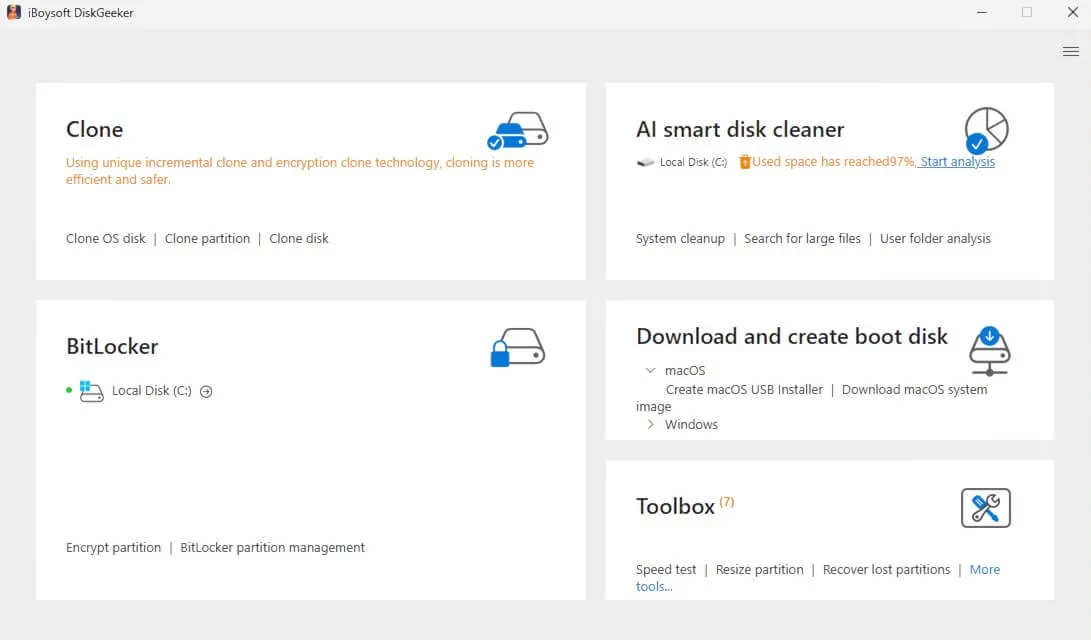
- Choose your USB as the target disk and click "Select".
- Pick Windows 7 and click "Start creating boot disk" > "Yes".
The software will download the ISO and automatically create the bootable USB.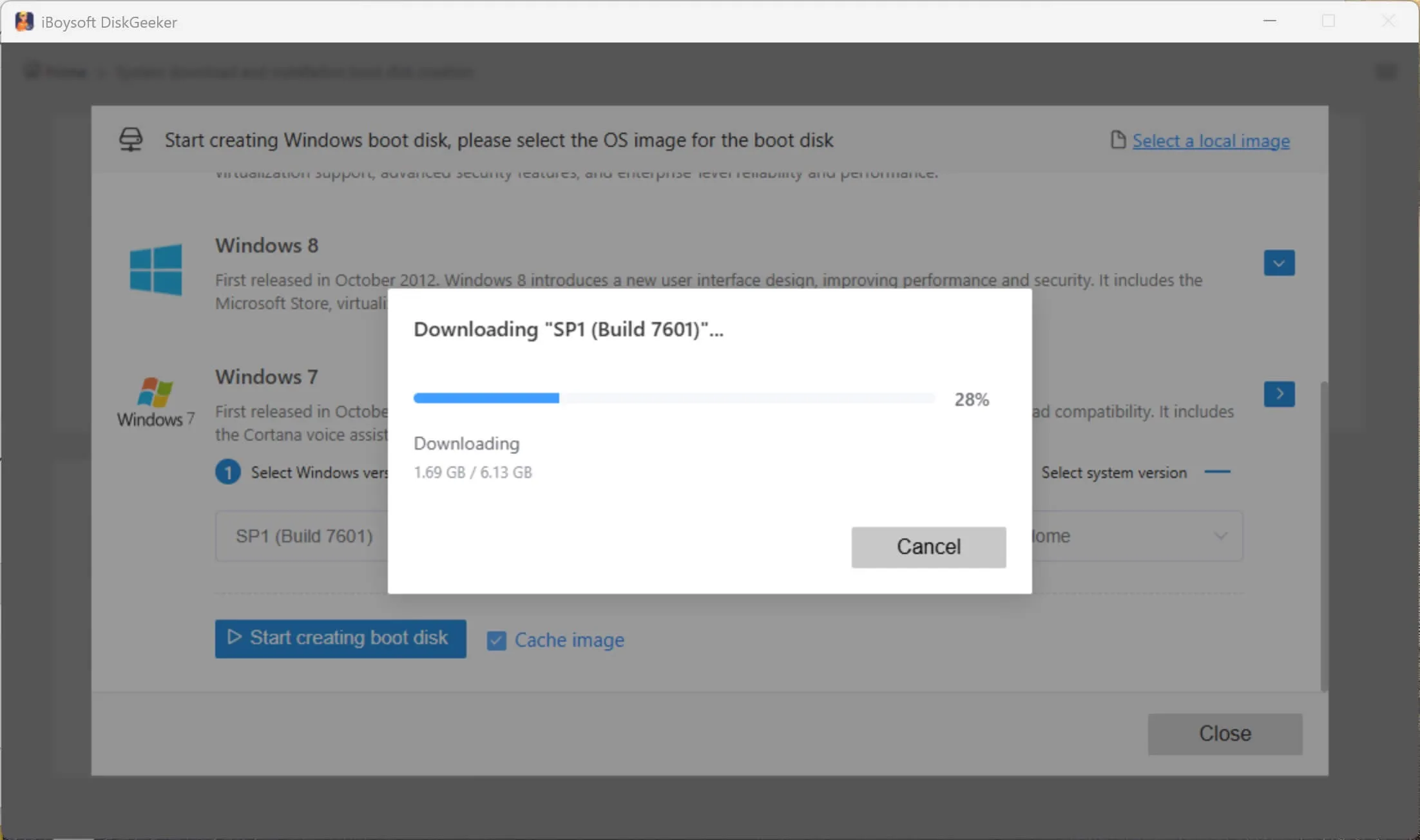
Booting from the USB:
- Insert the Windows 7 bootable USB into the target PC.
- Restart and enter Boot Menu/BIOS (HP: F9/Esc | Dell: F12 | Lenovo: F12 | Acer: F12 | ASUS: Esc/F8 | MSI: F11).
- Select the USB as the boot device.
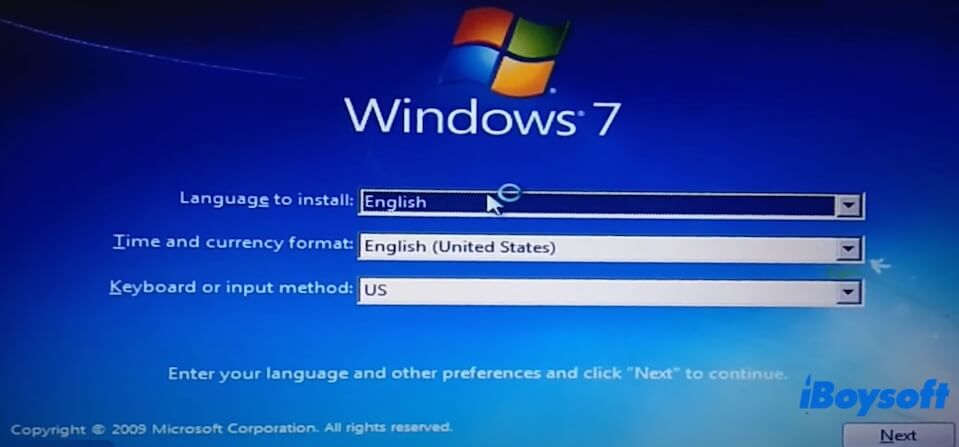
- Follow the on-screen prompts to install Windows 7.
Clone Windows 7 PC to make a bootable copy
iBoysoft DiskGeeker for Windows can also clone a Windows 7 system partition to a USB drive, allowing direct boot from the external drive without installation. Useful for testing or recovering non-booting PCs.
- Install iBoysoft DiskGeeker for Windows and connect a USB drive larger than the system partition.
- Select the Source OS disk and check the system partition.
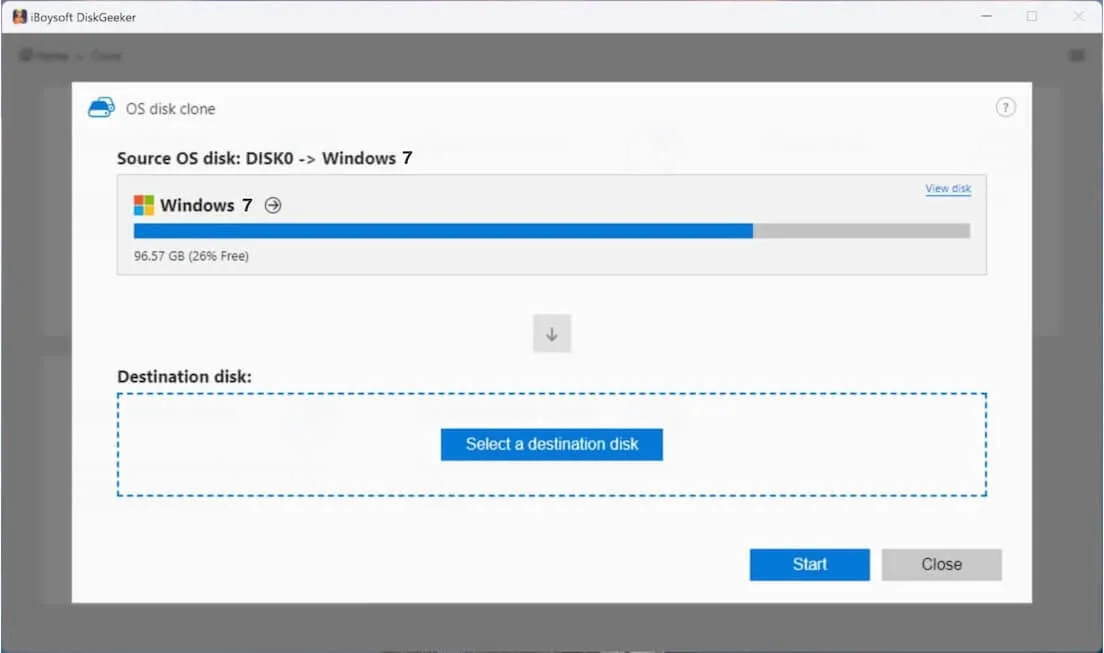
- Click "Select a destination disk" and choose the USB drive.
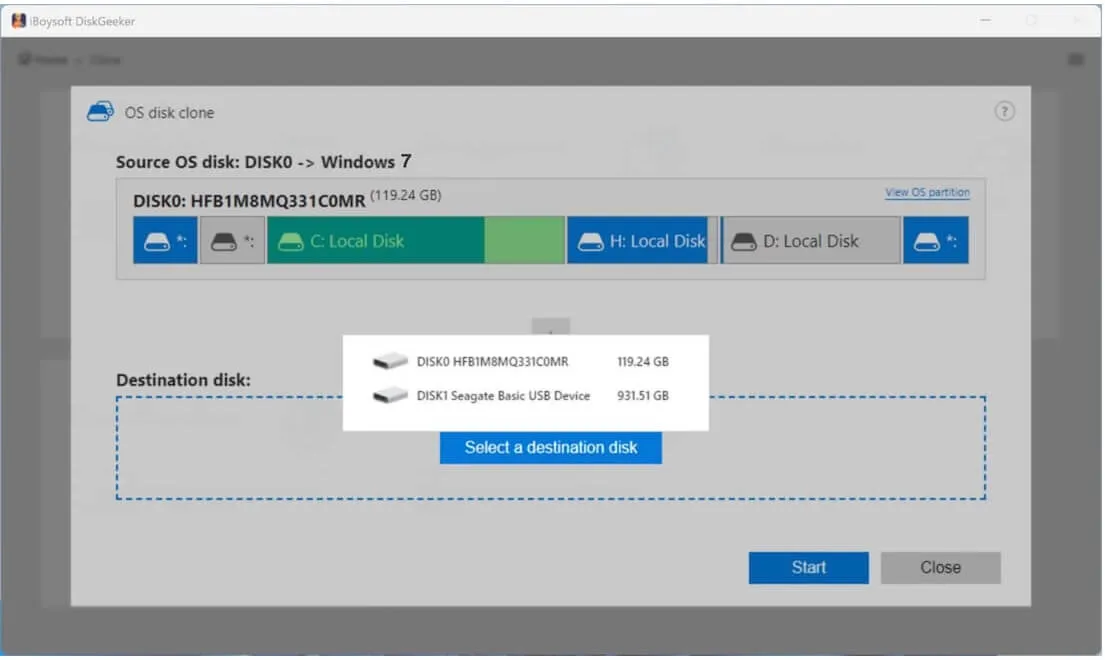
- Click "Start" > "Confirm" to begin cloning.
Now, the cloned Windows 7 can boot directly from the USB.
FAQs
- QCan I still download Windows 7 ISO?
-
A
Yes, with a valid Microsoft product key, or via third-party sources like archive.org.
- QHow to download Windows 7 Pro ISO?
-
A
Use the direct link from archive.org.
- QHow to download Windows 7 Ultimate 64-bit ISO?
-
A
Genuine product keys allow download from Microsoft; otherwise, use third-party sources.
- QHow to download Windows 7 ISO for free?
-
A
Free downloads are available on archive.org.